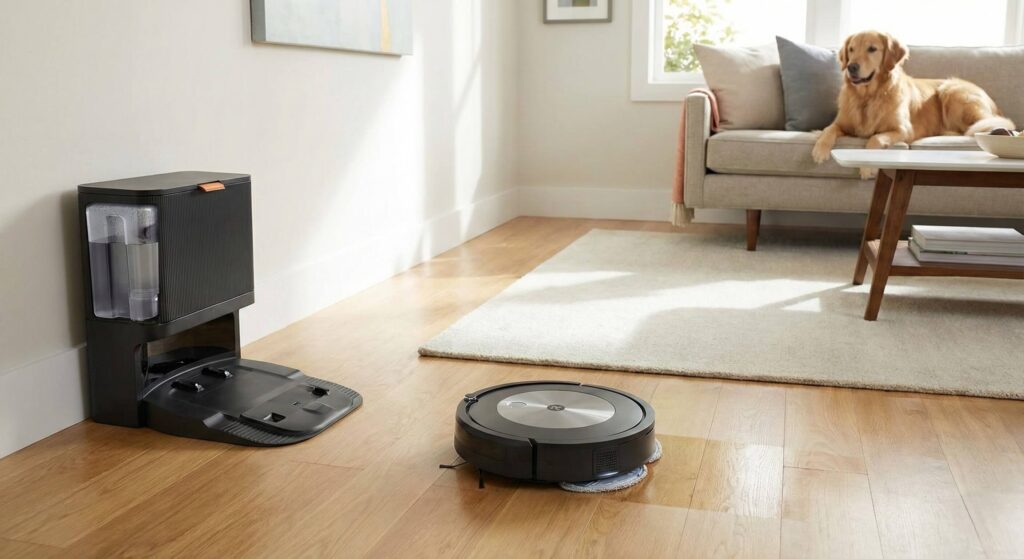
My cousin called last week. He’d just spent $650 on a Roomba j9+ and wanted to know if he’d made a mistake. “The reviews looked great,” he said. “But now I’m reading all these horror stories.” I told him to give it a month and keep the box. After analyzing dozens of verified owner reviews, I understand why he’s nervous. The j9+ is a capable robot vacuum that earns genuine praise from many owners, but it’s also a device that develops frustrating issues for a concerning number of users. Here’s what the reviews actually reveal.
The verdict? The Roomba j9+ delivers excellent mapping, significantly improved suction over previous models, and a genuinely useful self-emptying dock. But it’s also plagued by software glitches, pet waste avoidance that isn’t reliable, and long-term navigation issues that emerge after 6-12 months for too many owners. At $650-$900, you’re buying a premium robot with premium problems. If you get a good unit and maintain it properly, you’ll love it. If you don’t, prepare for customer service headaches.
The Bottom Line
The Roomba j9+ sits at roughly 3.5 stars in real-world owner satisfaction. That’s not terrible, but it’s not what you expect from iRobot’s flagship line. Users who love it really love it, praising the mapping intelligence, the convenience of auto-emptying, and how well it handles daily pet hair maintenance. One reviewer described watching it navigate around Christmas tree decorations and a “jungle of chair legs” with surgical precision. Another noted it’s now saved them $2,000 in housekeeper costs over a year.
But the negative reviews tell a different story. Multiple owners report the robot worked perfectly for days or months before developing chronic issues: failing to dock, losing WiFi connectivity, or wandering aimlessly instead of cleaning systematically. The pet waste avoidance, specifically marketed as a key feature, has failed multiple users at the worst possible moment. One owner described an hour-long cleanup after their robot drove through a pet mess “several times and spread it around the room.”
Key Strengths
Intelligent Mapping That Learns Your Home
The j9+’s mapping technology impresses most owners. One user described watching the initial mapping run as “very cool” as the robot navigated furniture, walls, and entryways with clear algorithmic precision. The map updates dynamically: when one owner left a bedroom door open that wasn’t in the original map, the robot noticed the new opening, finished its current task, then returned to explore and map the new room automatically. The app then prompted them to name the new space. That’s genuinely smart behavior.
Users appreciate the ability to set “no-go zones” directly in the app, placing virtual barriers around Christmas trees, pet bowls, or furniture the robot tends to get stuck under. Room-by-room scheduling lets you clean the kitchen daily while vacuuming bedrooms weekly. For multi-floor homes, the j9+ maintains separate maps, though owners with previous j7+ or j8+ models report the new unit can import existing maps, saving setup time.
Significantly More Suction Power
Owners upgrading from older Roombas consistently praise the j9+’s increased suction. One user moving from a j8+ specifically noted “significantly more suction” while appreciating that the j9+ uses the same consumables (rollers, bags, brushes, filters) as previous models. Multiple reviewers describe the robot automatically increasing suction when transitioning from hard floors to carpet, with one noting “I could hear it kick into a higher gear because it recognized the carpet.”
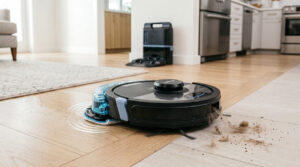
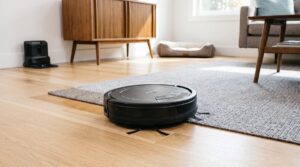
Hard floor performance earns particular praise. The j9+ handles pet hair, dust, and tracked-in debris effectively on wood, tile, and laminate. On carpet, results are more mixed. While most owners find it adequate for maintenance cleaning, some note it struggles with embedded dirt in thick pile or leaves behind larger debris like breadcrumbs on kitchen tile.
Self-Emptying Convenience
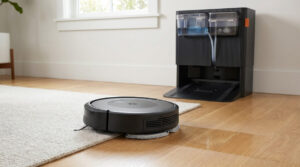
The Clean Base auto-empty dock is genuinely convenient for most owners. One user with three dogs specifically praised never having to manually empty the dustbin, noting the robot empties itself multiple times per cleaning session to keep up with the fur. Another described throwing away the sealed bag every six weeks instead of emptying a dustbin daily. For allergy sufferers or homes with heavy shedding pets, this is a meaningful quality-of-life improvement.
Obstacle Recognition Via Camera
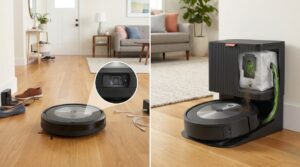
The j9+’s front-facing camera takes photos of obstacles it encounters, sending them to the app for you to categorize as temporary or permanent. Users appreciate this feature for finding lost items (“found a couple lost socks that way”) and training the robot to avoid specific hazards. One owner noted the robot learned to avoid rug tassels after a few runs. However, the camera requires adequate lighting to function properly, with one user having to program smart home lights to turn on during scheduled cleaning times so the robot could “see” where it’s going.
Where It Falls Short
Pet Waste Avoidance Is Not Reliable
This is the most damaging feedback in the reviews. Multiple owners specifically purchased the j9+ for its advertised pet waste avoidance, only to have it fail catastrophically. One reviewer’s cat vomited “a significant amount of freshly eaten dry cat food,” and the robot drove right through it. Another described their robot running through a pet mess “several times,” spreading it around the room and requiring over an hour of cleanup for both the floor and the vacuum internals.
iRobot’s customer service did provide a free replacement for one affected user, which deserves credit. But the fundamental promise, that this robot reliably avoids pet messes, is not consistently delivered based on owner experiences. If this feature is your primary purchase reason, understand you’re taking a gamble.
Software and Connectivity Issues
A recurring theme in negative reviews is software problems that emerge over time. Multiple users report their robot working perfectly for weeks or months, then experiencing:
- Firmware updates that brick connectivity, requiring factory resets
- The robot displaying “software being upgraded” for days without resolution
- WiFi disconnections that can’t be fixed by the “reconnect WiFi” feature
- Maps randomly resetting or rooms disappearing
One particularly frustrated owner noted their robot “lost its brain after a year,” unable to find its base or navigate obstacles despite multiple factory resets. Another spent three days waiting for a software upgrade message to clear before giving up and resetting the device entirely. For a robot that costs $650+, this failure rate is concerning.
The “Clean Base Seal Error” Problem
Multiple reviewers report persistent “Clean Base is not sealed” error messages even when everything checks out fine. The error triggers after every cleaning run, despite the dustbin emptying properly and no visible obstructions. Some owners have lived with this for months, simply ignoring the alert. Others have contacted customer service, received replacement parts, but the error persists. It appears to be a software bug rather than an actual hardware issue, which makes it more frustrating since it hasn’t been patched.
Customer Service Frustrations
When the j9+ has issues, getting resolution isn’t easy. Multiple reviewers describe scripted phone support that follows troubleshooting steps without addressing the actual problem, long wait times for warranty replacements, and replacement units arriving with the same defects. One owner whose brand-new unit failed within a week was told their only options were to send it in for repair or take it apart themselves. At the $650+ price point, expecting a simple replacement for a unit that’s days old seems reasonable.
iRobot does offer a one-year warranty, and several reviewers note the company eventually made things right. But the process is described as “lengthy” and “frustrating” more often than “smooth” or “responsive.”
High Maintenance Requirements
The j9+ demands regular attention, especially in pet-heavy homes. The small HEPA filter clogs quickly with pet hair and fine particles, with one owner noting their filter needs replacement “every 2 weeks” to maintain suction. The front caster wheel accumulates hair that can prevent it from rolling, eventually dragging and scratching floors. Rubber extractors still wrap with long human hair and pet fur, requiring manual detangling every few weeks.
Several owners note they’ve essentially traded one cleaning task for another. Instead of vacuuming manually, they’re now cleaning the robot after every run, emptying debris from roller chambers, and maintaining filters constantly.
Real-World Performance: What Users Actually Experience
The Good (Consistent Praise)
- Hard floor performance is excellent. Multiple reviewers with hardwood, tile, and laminate report their floors look great with daily or every-other-day runs.
- Mapping intelligence is genuinely impressive. The robot learns layouts quickly, updates maps when changes occur, and navigates complex furniture arrangements well.
- Scheduling and app control work reliably. Room selection, no-go zones, and cleaning schedules function as advertised for most users.
- It’s quieter than many alternatives. Several reviewers specifically note the j9+ runs quieter than their previous Roombas or competitor robots, though the self-emptying cycle remains loud.
The Bad (Recurring Complaints)
- Long-term reliability is a coin flip. Roughly half of critical reviews describe robots that worked perfectly for 3-12 months before developing persistent issues.
- The self-empty base is disruptively loud. Multiple users describe it as sounding like a “jet engine” or comparable to a loud dishwasher. If you schedule cleaning while home, plan to leave the room during emptying cycles.
- Bags are an ongoing expense. Unlike competitors with reusable dustbins, the j9+ requires proprietary bags. At roughly $20 for 3 bags and replacement every 6-8 weeks, that’s approximately $50/year in consumables, plus filters and brushes.
- It bumps into furniture aggressively. Despite obstacle avoidance cameras, several users report the robot still contacts walls and furniture with enough force to break closet doors or leave marks.
The Pattern
What emerges from owner reviews is a robot that delivers genuine value for many households, but fails at a higher rate than the premium price suggests. When it works, owners love it and can’t imagine going back to manual vacuuming. When it fails, the experience is frustrating, time-consuming to resolve, and sometimes ends with returning the product entirely. Buying through Amazon specifically for return protection is advice multiple reviewers offer.
Specifications at a Glance
| Specification | iRobot Roomba j9+ |
|---|---|
| Price Range | $649-$899 (varies by retailer/sales) |
| Dimensions | 13.3″ W × 3.4″ H |
| Dustbin Capacity | 400 ml (robot) + auto-empty bags |
| Battery Life | ~90 minutes (recharge and resume for larger homes) |
| Coverage Area | Up to 2,000+ sq ft per session |
| Navigation | PrecisionVision (camera-based) + Smart Mapping |
| Obstacle Avoidance | Yes (cords, pet toys, shoes, clothing) |
| Pet Waste Avoidance | Advertised, but inconsistent per user reports |
| Self-Emptying | Yes (Clean Base included with j9+) |
| Smart Home | Alexa, Google Home, iRobot App |
| Warranty | 1 year |
Who Should Buy the Roomba j9+
- Pet owners who prioritize convenience over perfection and understand maintenance is required
- Homeowners with primarily hard floors where the j9+ excels at daily debris pickup
- Those already in the iRobot ecosystem with compatible consumables from j7+/j8+ models
- Households where someone works from home to monitor and rescue the robot when needed
- Tech enthusiasts willing to troubleshoot and who find the mapping/learning features engaging rather than frustrating
- Buyers who purchase through Amazon specifically for the easy return policy if issues arise
Who Should Skip This One
- Anyone who truly needs reliable pet waste avoidance since this feature fails too often to trust
- Set-and-forget buyers expecting zero maintenance as the j9+ requires regular cleaning and attention
- Those with unreliable WiFi since the robot depends heavily on app connectivity for full functionality
- Travelers who run vacuums remotely as the robot gets stuck or errors out frequently enough to need human intervention
- Budget-conscious buyers who should consider that bags, filters, and brushes add $75-100/year in consumables
- Anyone frustrated by customer service runarounds since iRobot’s support receives mixed reviews
- Homes with very high-pile carpet or thick rugs where suction may be inadequate
Frequently Asked Questions
Is the Roomba j9+ better than the j7+?
Yes, for suction power. The j9+ offers significantly more suction than the j7+/j8+ while using the same consumables (rollers, bags, filters). Owners upgrading specifically note improved cleaning performance. Navigation and app features are similar. If you already have a j7+ that works well, the upgrade may not be necessary.
Does the Roomba j9+ really avoid pet waste?
Sometimes. While many users report it successfully avoiding pet accidents, multiple verified reviews document failures where the robot drove through pet messes and spread them around. iRobot’s customer service has provided replacements in some cases, but the feature isn’t reliable enough to trust completely. Don’t buy this robot solely for pet waste avoidance.
How loud is the self-emptying base?
Very loud. Users compare it to a jet engine, loud dishwasher, or lawn mower. The vacuuming itself is reasonably quiet, but the self-emptying cycle is disruptive. Schedule cleaning when you’re away or prepared to leave the room during emptying.
How long do the bags last?
Most owners report changing bags every 6-8 weeks with regular use. Homes with multiple pets may need to change more frequently. At approximately $20 for a 3-pack, expect $40-60/year in bag costs alone, plus filters and brushes.
What happens when the WiFi goes out?
Several users report the “reconnect WiFi” feature in the app doesn’t work reliably, requiring complete setup reconfiguration or factory reset. One user noted it’s the only device in their home that behaves this way. If your internet is unreliable, expect frustration.
Is the j9+ good for large homes?
Yes. The battery life handles 2,000+ sq ft per session, and the robot uses Recharge and Resume to continue cleaning after charging. One reviewer with a 3-story home uses multiple Roombas with shared consumables. For single-floor homes under 1,500 sq ft, one unit handles everything easily.
Should I buy through Amazon specifically?
Multiple reviewers explicitly recommend this. Amazon’s return policy provides protection if you get a defective unit, which based on review patterns happens more often than it should for a premium product. iRobot’s direct warranty process is described as slow and frustrating.