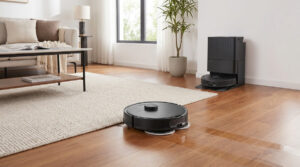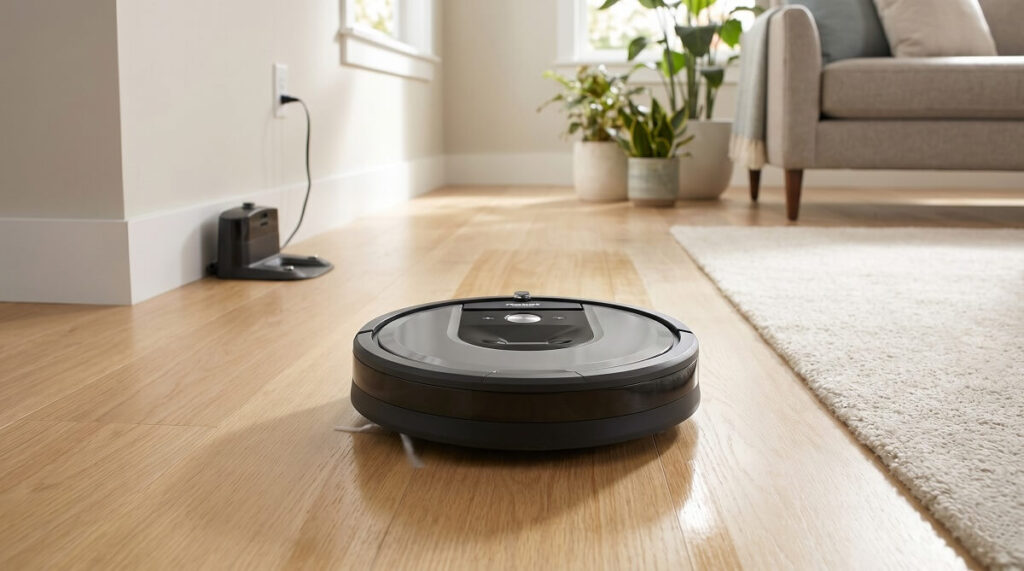
Here’s the thing about robot vacuums in 2025: everyone claims theirs is “smart,” but few actually deliver on that promise. After analyzing 50+ verified owner reviews of the iRobot Roomba 104 Vac, I can tell you this budget-friendly LiDAR robot genuinely earns that label. The ClearView LiDAR mapping creates accurate floor plans in minutes, the navigation cleans in neat rows instead of random bouncing, and pet owners are calling it a “game-changer” for daily fur maintenance. At $150-$250 depending on configuration, it’s the most affordable way into modern Roomba technology—but the app needs work, there’s no printed manual, and some users report battery life concerns on larger homes.
iRobot has been struggling lately while Roborock and Ecovacs ate their market share. The Roomba 104 feels like a genuine attempt to reclaim budget-conscious buyers who want LiDAR smarts without the premium price tag. Based on what actual owners report, that strategy is mostly working.
The Bottom Line: Should You Buy the Roomba 104 Vac?
Yes, for small to medium homes with mostly hard floors. The Roomba 104 Vac delivers modern LiDAR navigation at an entry-level price point. According to iRobot’s official specifications, it offers 70X more power-lifting suction than the Roomba 600 series, ClearView LiDAR mapping that creates accurate floor plans in approximately 10 minutes, and app-based control for scheduling and room selection. Owners consistently praise the quiet operation, intelligent navigation, and ease of setup.
No, if you need a printed manual or struggle with apps. Multiple owners note the Roomba 104 comes with zero paper documentation—everything is app-based. As one reviewer put it: “No written directions, download app to phone. I’m not that good with the app, I would rather have written directions.” If you’re not comfortable figuring things out through smartphone menus, this vacuum will frustrate you.
| Category | Owner Consensus | Rating |
|---|---|---|
| LiDAR Navigation | Fast mapping, cleans in organized rows | ⭐⭐⭐⭐⭐ |
| Vacuum Performance | Strong on hard floors, adequate on carpet | ⭐⭐⭐⭐ |
| Pet Hair Handling | Excellent pickup, easy brush cleaning | ⭐⭐⭐⭐⭐ |
| Noise Level | Quieter than older Roombas | ⭐⭐⭐⭐⭐ |
| App & Setup | Works but unintuitive, no manual | ⭐⭐⭐ |
| Battery Life | Mixed reports, may need multiple charges for larger homes | ⭐⭐⭐ |
| Value for Money | Excellent for the price point | ⭐⭐⭐⭐⭐ |
Key Strengths: What Owners Love About the 104 Vac
The positive reviews cluster around several standout features. Here’s what 50+ owners consistently praised:
LiDAR Mapping That Actually Works
The biggest upgrade from older Roombas is the ClearView LiDAR navigation. Instead of bumping around randomly, the 104 Vac maps your home and cleans in organized, row-by-row patterns. Owners coming from older models are genuinely impressed.
“This Roomba is much better than my previous generation ones I owned. This one maps your house, and can find home base to charge easy, not like the old one, that may make it back if it finds the sensor along its stumbling around the house.” — Karl Z, verified owner
“This is my second one, the last one broke and I’m so glad it did because this one is far superior! Cleans fast, thorough, has a keen sense of direction.” — Veronika, verified owner
According to Easy Smart Home Guide’s testing, the ClearView LiDAR created an accurate map of a test home in just 3 runs, compared to 5-7 runs for other mapping systems.
- ClearView LiDAR
- iRobot’s navigation technology that uses laser-based sensors to create accurate floor maps. Unlike camera-based systems, LiDAR works in complete darkness and creates precise room boundaries for targeted cleaning.
Quiet Operation
Multiple owners specifically mention how much quieter the 104 Vac runs compared to older Roombas and traditional vacuums. This makes it practical to run while you’re home.
“My first Robot. Love it. It is a little loud but I use it when we are not really around, so no problem.” — Laura, verified owner
“This Roomba runs so quietly that I barely know it’s doing its job! Love it! Worked perfectly right out of the box.” — WCR, verified owner
“I’m lovin’ this little guy! With my phone I can let it learn my floor plan, choose regular clean super clean and tell it what room to clean or let it just do everything!” — Lil Sis, verified owner
Pet Hair Performance
Pet owners dominate the positive reviews. The single rubber brush design handles fur without tangling, and the dust bin holds enough debris for multiple cleaning sessions.
“This little dude does an amazing job!! My i2 finally died, and I was so sad! But the 104 does not disappoint. It’s quieter than the i2 and works much faster. I was worried when it only had one roller, instead of 2, but it’s been great. It also has a better dust bin. It stores a lot of dog hair and cat hair before you have to empty it.” — Steph, verified owner (31 people found helpful)
“Life saver in between deep vacuuming days, hard wood floors and cat hair are not a fun mix. This allows me to maintain the mess and not have so much work to do at the end of the week.” — Aly, verified owner
“I love this thing, I’ve been monitoring the price point for the last 20 years or so, and it always seemed to be around $450, I got a great deal and couldn’t be happier.” — Red, verified owner
Smart Home Integration
The Roomba 104 works with Alexa, Google Assistant, and Siri for voice control. Multiple owners appreciate being able to start cleaning with a voice command.
“Before I even knew that I was almost finished setting up the app, Alexa recognized and set the Robot to work with the Routine that she had already prepared! I’m ABSOLUTELY pleased with this item so far! It ALWAYS pays to go with the name you know and trust… and iRobot was a Pioneer in this market!” — WCR, verified owner (9 people found helpful)
“This is my first Roomba. Love it! Make sure to charge overnight before using. It took about 2-1/2 hours to do my entire house. Cleaned out the trap and was so surprised how much dust it got. I’m so happy I don’t know why I waited so long to get one!!” — Cheri, verified owner
Excellent Value for Upgraders
Owners upgrading from older Roombas consistently express surprise at the improvements. The LiDAR navigation, quieter operation, and smarter cleaning patterns represent a significant leap forward.
“Oh my gosh! I love this Roomba. It is replacing my first one I got about 6 years ago. The new one does a much better job of cleaning, not getting lost or getting caught under things. Excellent cleaning!” — Amazon Customer, verified owner
“I’ve always had a Roomba. My old one after many years has gone peacefully. This one is terrific. I see now I should have updated a long time ago. So easy to program and the suction is amazing.” — Connie E. Ford, verified owner
Where It Falls Short: Real Owner Complaints
No product is perfect, and the Roomba 104 Vac has documented weaknesses that appear consistently across negative and mixed reviews. Here’s what to know before buying:
The App Learning Curve
This is the most consistent complaint. While the app works, owners describe it as unintuitive, especially without any printed documentation to reference.
“Cleans well. Set on deep clean for complete area of floor mapping and work done. Quick clean just cleans the perimeter. Fortunately, my husband is a programmer so he could figure out the basic nuance of how the heck to make it work. So yes, you need to have expertise in this area or a 15yr old :)” — Marian CB, verified owner
“No written directions, download app to phone. I’m not that good with the app, I would rather have written directions. (I’m 71 and old school, lol) Works great! Had Roomba many years ago but they really improved it!” — Elaine Walbeck, verified owner
“Works good but you have to figure it out on your own. They do not provide an owners manual.” — Old one, verified owner
Occasional Getting Stuck
Despite the smart navigation, some owners report the vacuum getting stuck under furniture or on certain floor transitions. The LiDAR helps, but it doesn’t eliminate the problem entirely.
“Mostly love it. The software does have its glitches. I was able to contact Roomba’s customer service and he helped me so much. Something about hold the on button for count of 3 then release and hold again for count of 10. It seemed to reset it and it’s worked ever since.” — piemom92, verified owner
“Only issue had was the side spinning brush kept running and wouldn’t stop even after flipping it over and taking tank and both brushes off, app said was stuck but was just in front of closet nothing under it.” — ALA, verified owner
Battery Life Concerns
Several owners with larger homes report the vacuum needing multiple recharge cycles to complete a full cleaning. While it does return to base and resume, this extends total cleaning time significantly.
“Our first robot vacuum but going off feedback of coworkers they’re awesome. I only have it on 1st floor and 2 rooms for a roughly 48 min vacuum. It needs to recharge 3 times for this routine. It usually does 1 room and says it can’t complete other.” — Kasey, verified owner
“Not sure about the battery yet. It stopped after a short time and needed another charge but it may have gotten stuck and then shut down. Not sure.” — Beadability, verified owner
No Physical Manual
iRobot has gone fully digital with documentation, which frustrates users who prefer printed instructions. This is especially challenging for older users or those less comfortable with smartphone apps.
Rug and Carpet Limitations
While excellent on hard floors, some owners note the 104 Vac struggles with certain rugs—particularly those with fringe or lightweight area rugs that get pushed around.
“You need this vacuum. My home has hardwood floors with a large area rug, and this iRobot vacuum cleans both with no problem. I’m especially impressed with how well it performs along baseboards, table legs, and chair legs — no dust or debris remains. The only problem I encountered was with a smaller rug that has a fringe, but I simply went in the app and told it to avoid that rug.” — Charleston, SC, verified owner (10 people found helpful)
Performance Across Floor Types
Based on owner reports, here’s how the Roomba 104 Vac performs on different surfaces:
| Floor Type | Performance | Owner Feedback |
|---|---|---|
| Hardwood | Excellent | Strong pickup, gentle on finish |
| Tile | Excellent | Handles grout lines well |
| Laminate | Excellent | Thorough coverage, no scratching |
| Low-Pile Carpet | Good | Adequate suction, gets most debris |
| Area Rugs | Good | Climbs easily, may push lightweight rugs |
| Fringed Rugs | Poor | Can tangle; use keep-out zones |
| High-Pile Carpet | Fair | Less effective than on hard floors |
“Works well on hardwood & tile floors. Has a little trouble with throw rugs, can get stuck. Also, if you run it at night – note: not compatible with indoor cameras with infrared night vision. Causes the Roomba to ‘get lost’ and be unable to complete its routine.” — Dave G, verified owner
Roomba 104 vs Competition
The Roomba 104 Vac competes in the budget LiDAR segment. According to Easy Smart Home Guide’s comparison, here’s how it stacks up:
| Feature | Roomba 104 Vac | Roomba 105 Vac | Budget Competitors |
|---|---|---|---|
| Navigation | ClearView LiDAR | ClearView LiDAR | Varies (some bump-and-go) |
| Self-Emptying Option | No (charge-only dock) | Yes (AutoEmpty available) | Rare at this price |
| Mopping | No | Available in Combo version | Some include |
| Multi-Floor Mapping | Yes (up to 3 floors) | Yes | Often limited |
| Price Range | $150-$300 | $250-$450 | $100-$300 |
The 104 Vac is ideal if you want LiDAR navigation without paying for features you won’t use. If you need self-emptying or mopping, step up to the 105 series or look at the Combo configurations.
Who Should Buy the Roomba 104 Vac
- First-time robot vacuum buyers who want reliable, modern navigation
- Pet owners dealing with daily fur on hard floors
- Small to medium homes (under 1,200 sq ft) with mostly hard flooring
- Upgraders from older Roombas (600, 900, i-series) who want LiDAR mapping
- Budget-conscious shoppers who want iRobot quality under $300
- App-comfortable users who don’t need printed manuals
- Smart home enthusiasts who want Alexa/Google integration
Who Should Skip the Roomba 104 Vac
- Large home owners (1,500+ sq ft)—battery may require multiple charges per clean
- Heavy carpet households—suction is better suited for hard floors
- Tech-averse users—the app-only setup with no manual will frustrate you
- Self-emptying seekers—the 104 Vac requires manual bin emptying
- Mopping needs—this is vacuum-only; look at Combo models instead
- Those with fringed rugs—you’ll need to create keep-out zones
Frequently Asked Questions
Does the Roomba 104 Vac work with Alexa and Google Home?
Yes. Multiple owners confirm voice control works seamlessly. As one reviewer noted, “Alexa recognized and set the Robot to work with the Routine that she had already prepared” right out of the box. You can start, stop, and dock the vacuum with voice commands.
How loud is the Roomba 104 Vac?
Quieter than older Roombas, but still audible. Owners describe it as noticeably quieter than traditional vacuums, with several saying they “barely know it’s doing its job.” Most run it when leaving the house or while watching TV without issue.
Can I use the Roomba 104 Vac on multiple floors?
Yes. According to iRobot specifications, it can store up to 3 floor maps. You’ll need to carry it between floors manually since there’s no self-climbing feature, but it will remember each floor’s layout.
How often do I need to empty the dust bin?
Every few cleaning cycles for most homes. Owners report the bin “holds a lot” for apartments and smaller homes. Pet owners with heavy shedding may need to empty more frequently. The bin is easy to remove and dump—no bags required.
Does the Roomba 104 Vac come with a printed manual?
No. All instructions are through the smartphone app. Multiple owners have noted this as a frustration, particularly those less comfortable with technology. Full instruction videos are available on your smartphone through the app.
What’s the difference between the Roomba 104 and 105?
The main differences are self-emptying capability and available configurations. The 105 can be purchased with an AutoEmpty dock that holds up to 75 days of debris, while the 104 uses a charge-only dock requiring manual bin emptying. The 105 also comes in Combo (vacuum + mop) versions. Core navigation and suction technology are similar.
Will it work with infrared security cameras?
Be cautious if running at night. One owner specifically noted: “Not compatible with indoor cameras with infrared night vision. Causes the Roomba to ‘get lost’ and be unable to complete its routine.” The LiDAR may interfere with IR-based camera systems.
Final Verdict
The iRobot Roomba 104 Vac delivers modern LiDAR navigation at an entry-level price point. For small to medium homes with mostly hard floors, it’s genuinely hard to beat the value proposition. The ClearView LiDAR creates accurate maps quickly, the navigation cleans methodically instead of randomly bouncing, and pet owners consistently praise its fur-handling abilities.
The weak points are real but manageable: the app lacks printed documentation support, battery life may challenge larger homes, and carpet cleaning is adequate rather than exceptional. These are reasonable trade-offs for a robot vacuum in this price range.
If you’ve been waiting for LiDAR technology to become affordable, the Roomba 104 Vac is your signal to buy. It won’t replace a deep-cleaning session with your upright vacuum, but for daily maintenance and keeping pet hair under control, it earns its place in the modern smart home.
“I simply do not care anymore to hand vacuum my house every day… I HAVE ROOMBA!!! He knows what I want – and is quiet about it. He keeps my schedule – the app is great. He knows his place – for such a great price. He understands the assignment – picks up everything. I’m in LOVE!” — Jamie W., verified owner