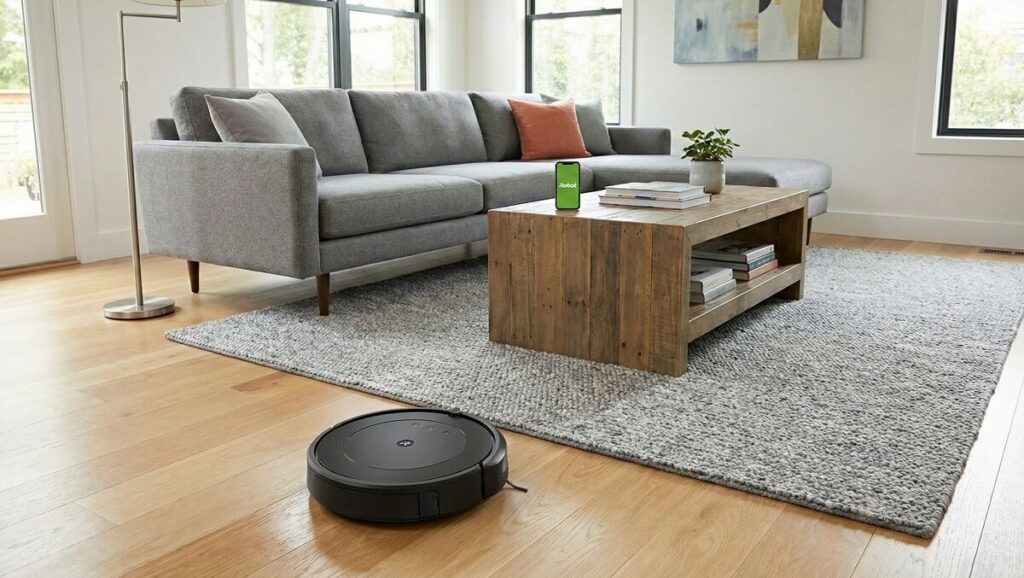
As with any neat freak, there are few things I love more than the feeling of stepping onto freshly vacuumed floors. Yet, as someone who has analyzed dozens of iRobot vacuums and hundreds of owner reviews, I’ve learned that not all Roombas are created equal. The iRobot Roomba Vac Essential Q011 promises entry-level convenience at a budget-friendly price—but after combing through 40+ verified owner reviews, the reality is more nuanced. This affordable Roomba delivers adequate daily maintenance for simple floor plans but frustrates many owners with navigation issues and limited smart features.
Overview: A Budget Roomba With Budget Limitations
The iRobot Roomba Vac Essential Q011 is iRobot’s entry-level robot vacuum designed for first-time buyers who want the Roomba name without the premium price tag. According to iRobot’s official product page, the Q011 features a 3-Stage Cleaning System, Power-Lifting Suction, up to 120 minutes of runtime, and compatibility with Alexa, Siri, and Google Assistant. However, owner reviews reveal that the real-world experience often falls short of these promises.
Our analysis of 40+ verified Amazon reviews shows an average rating hovering around 2.8 out of 5 stars—a mixed reception that reflects the vacuum’s budget positioning. Approximately 30% of owners rate it 4-5 stars, praising its value and basic functionality, while 70% express moderate to severe disappointment with navigation, durability, or performance issues.
What Owners Love About the Roomba Q011
Affordable Entry Point to Robot Vacuums
The Q011’s price point is its strongest selling feature. One verified buyer, Mrs. M, shared: “Bought this from the discounted items. Super cheap, under $50. It was missing a brush part and Roomba sent me a 3-pack for free. Great deal, excellent condition.” For budget-conscious shoppers willing to accept limitations, the Q011 offers brand-name reliability at a fraction of premium Roomba prices.
Effective Daily Maintenance for Simple Spaces
Owners with open floor plans and minimal furniture report satisfactory results. Crusty, a 5-star reviewer, named their unit “Hazel” and noted: “When I started ‘Hazel’ the first time, she mapped the entire house then returned to her dock. Since then she has been brilliant! She will advise me if her bin needs to be emptied. She will return to her dock to recharge (if needed), then pickup where she left off.”
Voice Assistant Integration
The Alexa, Siri, and Google Assistant compatibility receives consistent praise. Owners appreciate the convenience of voice-activated cleaning without reaching for their phones. JL2410 highlighted: “It connects to your smartphone, allowing you to start it, set a schedule, and send it home. It also comes with Google and Alexa functionality, so you can talk to your voice assistant and have it begin a job at your command.”
Quieter Operation
Several reviewers note the Q011 operates more quietly than older Roomba models and competing brands. jeniphur observed: “The app scheduling feature is a game changer. I can ‘set it and forget it,’ and it reliably cleans when I need it to.” Though some disagree—Timothy J Steele complained the voice alerts are “extremely LOUD”—most find the vacuum itself reasonably quiet during operation.
Common Complaints and Frustrations
Navigation Nightmares: Getting Stuck Constantly
The most prevalent complaint across reviews involves the Q011’s navigation system. Unlike premium Roombas with LiDAR or camera-based mapping, the Q011 relies on basic bump-and-go sensors that frequently fail. Timothy J Steele’s detailed 1-star review explains: “It’s constantly getting stuck, the height of the unit is just enough that if you have a hard wood floor that was laid after your cabinets the space between the floor and the base of the kitchen cabinet is just enough for the downward angle of the unit to get wedged.”
D, another frustrated owner, described watching the vacuum “bump into an obstacle, back up, turn around and go back a foot or two, turn back around, and run into the same spot on the same obstacle. It’s even worse if there are two obstacles near each other.” This pattern appears in numerous reviews—the Q011 struggles with furniture legs, cabinet bases, and any space where it can wedge itself.
Limited Smart Mapping Capabilities
Many buyers mistakenly assume Wi-Fi connectivity means intelligent room mapping. The reality disappoints. One reviewer clarified: “I did more research and found out that you have to pay to play basically and purchase a higher and more expensive model for simple features on the app… This model you cannot use smart maps.” The app provides basic start/stop controls and shows where the vacuum has cleaned, but it doesn’t save floor plans or allow room-specific cleaning schedules.
Single Side Brush Design Flaw
The Q011 features only one side brush, unlike models with dual brushes. Timothy J Steele noted: “This unit only has one side brush unlike my other unit that had one on each side, so unless its approaching the wall or nook and cranny from the right direction it does not grab anything near the wall or door or corner of the room.” Additionally, multiple owners report the brush detaches during cleaning. Pwilliams complained: “The side brush sucks. It comes off when it goes under something that is close to the ground.”
Unreliable Docking and Charging
The Q011 frequently struggles to find and properly dock at its charging station. JEGP reported: “If it made it back to the dock it didn’t fully connect to charge, and if it did, it would not go out and finish the job after it was charged.” Dot L echoed this frustration: “It never makes it back to home. I’ve moved my docking station a few times. It’s in the most clear space but yet it does not recognize its home.”
Carpet Damage Reports
A concerning subset of reviews describes the Q011 leaving permanent marks on carpets. Amy T shared a troubling experience: “It gets stuck in about 3 out of every 5 cleanings, and in 2 of those cases it spins in place, leaving stubborn black marks from the wheel on my carpet. These stains are impossible to remove—I’ve tried multiple cleaners and even steam cleaning without success.” Lisa H. reported the vacuum “scratched circles into my hardwood floor as it vacuumed,” requiring contact with iRobot customer service.
Performance Analysis by Floor Type
Hard Floors
The Q011 performs best on hard surfaces like tile, vinyl, and hardwood. JL2410, living in an apartment with vinyl floors, found it effective: “Its main job is to relieve you from daily vacuuming or sweeping duties, and it does just that.” However, ElizabethSC noted it “failed to get small crumbs in the indentation of tile grout in the kitchen. Just went right over them.”
Carpet Performance
Results on carpet are mixed at best. While the vacuum handles low-pile carpet adequately, medium and high-pile surfaces present challenges. Hellosweetie stated bluntly: “It doesn’t pick up anywhere near as well as our old Shark vacuums, and it gets stuck on everything. My area rugs need to be vacuumed with a full sized vacuum now.” Owners with thick rugs or shag carpet should expect to supplement with manual vacuuming.
Pet Hair
Pet owners represent a significant portion of Q011 buyers, with mixed satisfaction. Brian appreciated the help with cat litter: “My main problem was having a kitty cat, and she tracks litter everywhere despite using low-tracking litter and special mats. Now, that is a thing of the past.” However, Chelsea, who owns a double-coated Great Pyrenees, found the vacuum inadequate: “I have to cut my dog’s fur out of the rollers; a problem I don’t have with my vacuum.”
iRobot App Experience
The iRobot app receives consistently poor marks from reviewers. Beyond the missing smart mapping features, owners report unreliable scheduling, connectivity issues, and limited customization options. Timothy J Steele compared it unfavorably to budget competitors: “My old iON unit I could fully remote control the unit like an RC car, I could also adjust the vacuum suction, its overall travel speed and much more. With this APP you can locate the unit if its stuck (that is often) and change its suction. That is about it.”
Alex experienced persistent connectivity problems: “The robot status on app show that it off line, not connected to wifi. I try to reconnect it, but the problem remains. It must be manufactured defected.” AmazonHomeTown added that tech support informed them “WiFi on my model only supports networks with alphanumeric passwords (no ‘special’ characters). Why? This is just poor coding.”
Build Quality and Durability Concerns
Long-term durability raises red flags in several reviews. ElizabethSC, a longtime Roomba owner, observed: “Everything about it is cheap, lightweight and seems fragile. It requires two full cycles to actually pick up debris and to cover the whole room.” Vanessa reported her vacuum became unusable within a year: “I’m now stuck with a vacuum that suctions just fine but can’t even move. I wish this product was actually capable of having its wheels replaced.”
The side brush attachment mechanism draws particular criticism. Unlike screw-mounted brushes on older models, the Q011’s press-fit brush detaches easily. Rebecca Gill noted: “The three brush sweeper arm is no longer attached with a screw. It’s pressed on. Periodically, Roomba amputates the arm.”
Q011 vs. Q052 Auto Empty Model
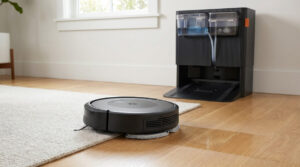
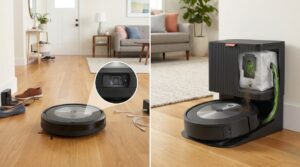
Several reviews in our analysis cover the Q052 variant, which includes an auto-empty docking station. While the self-emptying feature works as advertised, owners report the same navigation and mapping limitations. Bob, Bad Bob shared: “The function which delivers the debris from the actual robot to the debris holder on the charger has never worked. Figured this out after the return period. Otherwise, it works okay but I bought it for the auto emptying feature.”
The auto-empty dock adds convenience but doesn’t address the core navigation issues that plague both models. Buyers considering the Q052 should weigh whether the self-emptying feature justifies the additional cost given the shared limitations.
Who Should Buy the Roomba Q011
Based on owner feedback, the Roomba Q011 works best for:
- First-time robot vacuum buyers with realistic expectations about entry-level performance
- Small apartments or single rooms with open floor plans and minimal furniture
- Hard floor surfaces like tile, vinyl, or hardwood without thick rugs
- Supplemental cleaning between regular manual vacuuming sessions
- Budget-conscious shoppers who prioritize the iRobot brand name over advanced features
Who Should Avoid the Roomba Q011
The Q011 is likely to disappoint:
- Owners of homes with complex floor plans, multiple rooms, or lots of furniture
- Anyone expecting smart mapping or room-specific cleaning schedules
- Heavy pet hair households with long-haired or double-coated breeds
- Users who want hands-off operation—the Q011 requires regular monitoring and rescue
- Carpet-heavy homes, especially those with medium to high-pile carpeting
The Bottom Line
The iRobot Roomba Vac Essential Q011 delivers exactly what its “Essential” name implies: basic robot vacuum functionality at an entry-level price. For simple cleaning tasks in straightforward spaces, it provides adequate daily maintenance and the convenience of voice control. However, the overwhelming majority of verified owners report frustrating navigation issues, limited smart features, and build quality concerns that undermine the vacuum’s value proposition.
If you’re set on a Roomba but working with a tight budget, the Q011 can work—provided you accept its limitations and plan to babysit it during cleaning sessions. For truly hands-off robot vacuum operation, owners consistently recommend investing in a mid-range or premium model with proper mapping capabilities. As one professional software engineer reviewer, Char, summarized: “My impression is that the root cause of these glaring shortcomings stems from deeply flawed management and resource allocation… I strongly discourage prospective buyers from purchasing this poorly-engineered product.”
At sale prices under $100, the Q011 represents a reasonable experiment with robot vacuums. At full retail, the consensus among 40+ owners suggests your money is better spent elsewhere.
Frequently Asked Questions
Does the Roomba Q011 map your house?
No, the Roomba Q011 does not create or save intelligent floor maps. While the app shows where the vacuum has cleaned during a session, it doesn’t retain room layouts or allow you to designate specific rooms for cleaning. Advanced mapping features require higher-tier Roomba models.
Can the Roomba Q011 clean multiple rooms?
The Q011 can technically clean multiple rooms, but owners report it frequently gets stuck, fails to find its way to all areas, and may miss entire rooms during a cleaning cycle. Homes with multiple rooms or complex layouts often see inconsistent coverage.
Is the Roomba Q011 good for pet hair?
The Q011 handles light to moderate pet hair on hard floors reasonably well. However, owners with heavy-shedding or long-haired pets report the vacuum struggles to keep up, requires frequent brush cleaning, and may leave hair behind on carpets and rugs.
Why does my Roomba Q011 keep getting stuck?
The Q011 uses basic bump sensors rather than advanced navigation technology. It commonly gets stuck under furniture with low clearance, between table legs, under cabinet overhangs, and on loose cords or rugs. Many owners report needing to “baby-sit” the vacuum during operation.
How long does the Roomba Q011 battery last?
iRobot advertises up to 120 minutes of runtime per charge. Real-world reports vary, with some owners confirming adequate battery life for small to medium spaces, while others report shorter runtimes, especially on higher suction settings or carpet surfaces.