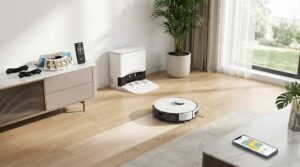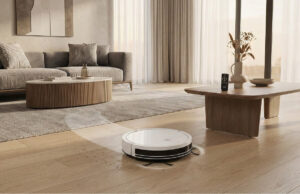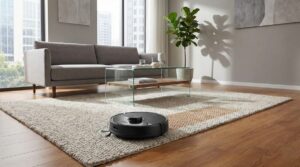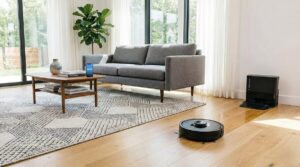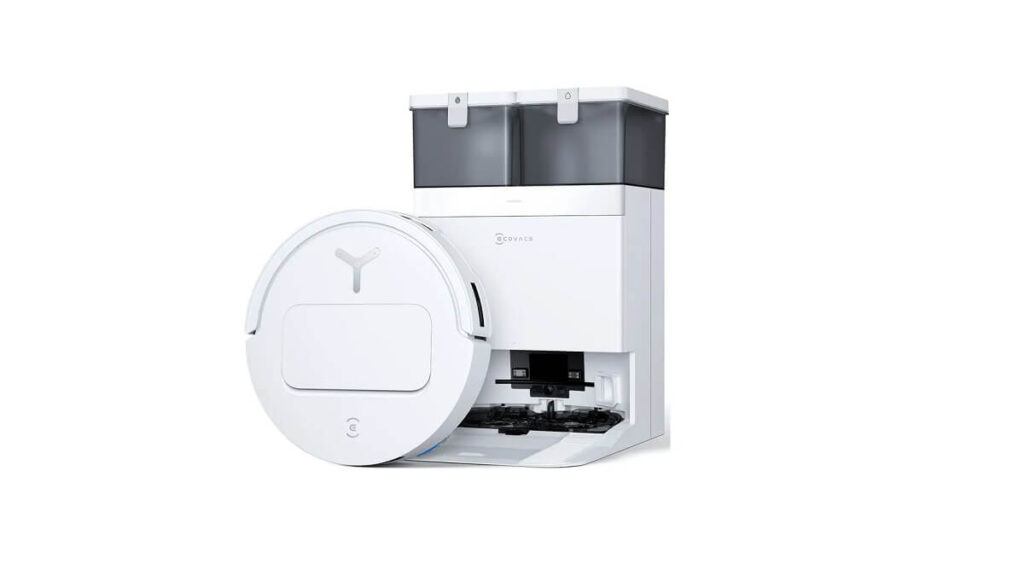
The Ecovacs Deebot T50 series has emerged as a serious contender in the premium robot vacuum and mop market, promising to revolutionize home cleaning with advanced AI technology, powerful suction, and comprehensive self-maintenance features. But does it live up to the hype? We’ve analyzed hundreds of verified purchase reviews from Amazon users across multiple T50 variants (T50 Max, T50 Pro, and T30S) to give you an honest, detailed look at what this robot vacuum can really do.
What Makes the Deebot T50 Stand Out?
Ultra-Slim Design with Powerful Performance
One of the most praised features across all reviews is the T50’s remarkably slim profile—just over 3 inches tall. As one user enthusiastically shared, “It glides under furniture that most vacuums skip, pulling out all that hidden dust that used to be impossible to reach.” This design allows it to clean under beds, sofas, and low-clearance furniture where dust bunnies typically hide.
The suction power is equally impressive. The T50 Max boasts 18,500Pa suction, while the Pro models feature 15,000Pa. Multiple reviewers with shedding pets confirmed the vacuum’s ability to handle substantial amounts of pet hair. One golden retriever owner noted, “I have a golden retriever so I know there’s never going to be a robot vacuum that can pick up every piece of hair, but this one does a remarkably good job.”
The OMNI Station: True Hands-Free Cleaning
The OMNI station is where the T50 truly differentiates itself from budget competitors. This all-in-one docking station handles multiple maintenance tasks automatically:
- Auto-emptying: The robot returns to empty its dustbin into a larger bag that can hold weeks of debris
- Hot water mop washing: The station washes the mop pads with hot water after each cleaning session
- Hot air drying: Mop pads are dried with warm air to prevent mildew and odors
- Auto-refill: The station refills the robot’s water tank during extended cleaning sessions
- Detergent dispensing: Automatically adds cleaning solution for optimal mopping results
As one satisfied customer put it, “The OMNI Station does all the gross jobs—empties the bin, washes and dries the mop, and even refills detergent. I barely have to think about it.”
Mapping and Navigation: Smart but Sometimes Challenging
The Good
When it works properly, the mapping technology is impressive. Most users reported that the T50 mapped their entire home in 15-20 minutes, creating detailed floor plans that can be customized through the app. The AIVI 3.0 obstacle avoidance system generally performs well, with one user noting, “It doesn’t bump into things or get stuck like my old robot used to. It just quietly moves around, cleans every corner, and somehow gets under my bed and sofa without any trouble.”
The Challenges
However, mapping isn’t without its issues. Several users encountered problems:
- Glass surfaces: Floor-to-ceiling windows and mirrored doors can confuse the robot, creating “ghost rooms” on the map
- Initial mapping failures: Some users needed multiple attempts to successfully map their homes
- Map corruption: A few reviewers reported the map randomly resetting or rooms disappearing from the app
- Complex layouts: Homes with many rooms or open floor plans sometimes struggled with accurate room division
One frustrated user shared, “Every time I try to auto-map my floor, the app misses a room or two, combines or divides rooms incorrectly, or just offsets everything by a few feet so the map is never accurate.” However, with patience and following troubleshooting tips (using bright lighting, removing obstacles, blocking off problem areas initially), most users eventually achieved satisfactory maps.
Cleaning Performance: Vacuuming and Mopping
Vacuuming Excellence
The vacuuming performance receives consistently high marks. The ZeroTangle brush system effectively prevents hair from wrapping around the roller—a common problem with other robot vacuums. Multiple pet owners specifically praised this feature, noting they rarely needed to manually clean the brush roller.
The adjustable suction levels allow customization based on floor type and dirt level. Users appreciated being able to set different suction strengths for different rooms through the app.
Generally Impressive with Some Limitations
The mopping function divides opinion, though most users are positive:
Strengths
- The rotating mop pads provide genuine scrubbing action, not just dragging a wet cloth
- Automatic mop lift (18mm on the Max) prevents carpet dampening
- The TruEdge 2.0 system extends the mop to clean baseboards and corners
- Hot water washing keeps mop pads clean and odor-free
Limitations
- Not designed for heavily soiled floors—it maintains cleanliness rather than deep cleans
- Some users reported occasional moisture on carpet edges when the robot misjudged boundaries
- Mop pads are magnetically attached and can occasionally detach on thicker carpets or obstacles
- Water consumption can be inconsistent even on maximum settings
One user perfectly summarized the mopping capability: “Mopping will not clean a dirty floor, but it will keep it clean for longer, so instead of having to mop every other day now I can mop once a week.”
App and Smart Features: Powerful but Not Always Intuitive
App Capabilities
The Ecovacs Home app offers extensive customization options:
- Room-by-room cleaning schedules
- Multiple cleaning modes (vacuum only, mop only, vacuum then mop, simultaneous)
- Adjustable suction and water flow levels
- No-go zones and virtual walls
- Multi-floor mapping support
- Remote monitoring and control
- Voice assistant integration (Alexa, Google Assistant, and built-in YIKO voice assistant)
User Experience Challenges
Despite its powerful features, the app receives mixed reviews for usability. Common complaints include:
- Non-intuitive interface requiring significant learning time
- Difficulty editing room boundaries and combining/dividing spaces
- Scheduling limitations (some users wanted more granular control over different cleaning modes for different days)
- Occasional connectivity issues requiring WiFi reconnection
- Requires 2.4GHz WiFi network (not compatible with 5GHz-only setups)
One user noted, “The app is easy to navigate” while another countered, “The app isn’t intuitive… It took me a while to figure out how to setup rooms and special cleaning scenarios.”
What Users Experience Daily
Battery Life and Coverage
Battery performance varies by model and settings. Most users found the battery adequate for their needs, with the robot able to clean 1,000-2,000 square feet on a single charge when using standard settings. On maximum power, coverage decreases, and the robot may need to recharge mid-clean for larger homes.
The robot intelligently returns to base for recharging and resumes cleaning where it left off—a feature users consistently praised.
Noise Levels
Compared to traditional upright vacuums and some competing robot models, the T50 series is relatively quiet. Multiple users mentioned running it during the night or early morning without disturbing sleep. However, at maximum suction, it becomes noticeably louder. The mechanical sounds of the robot moving are sometimes as loud as the actual vacuuming.
Obstacle Avoidance: Good but Not Perfect
The AI-powered obstacle detection works well for larger objects like furniture, but performance varies with smaller items:
Successfully avoids
Furniture legs, walls, larger toys, dog bowls, shoes
Sometimes struggles
Charging cables, thin rugs, small toys, pet waste, loose paper
Several users emphasized the importance of “prepping” the floor before cleaning—picking up cables, securing rug corners, and removing small obstacles. As one user pragmatically stated, “Having to go around the house prepping for the robot vacuum seems counter productive to me.”
Maintenance: Easier Than Expected
What You’ll Need to Do
- Regular maintenance includes:
- Emptying the dirty water tank every few days (weekly for light use)
- Refilling the clean water tank weekly
- Replacing the dust bag every 1-2 months (depending on usage and pet hair)
- Cleaning sensors and cameras every 1-2 weeks
- Washing additional mop pads in the machine
What the Robot Handles
- Self-emptying the dustbin after each cleaning
- Washing and drying its own mop pads
- Cleaning the main brush (ZeroTangle design minimizes hair wrap)
- Monitoring consumables and alerting when replacement is needed
Most users found maintenance manageable, with one noting, “I do pamper it and I keep the dirty mop water cleaned out after a long time run… but it would probably hold at least a gallon if you left it.”
Common Issues and Solutions
Getting Stuck or Lost
Clear the floor of cables and small obstacles initially, ensure adequate lighting during mapping, create no-go zones for problem areas, clean sensors regularly.
Mop Pads Falling Off
Ensure pads are properly seated with the magnets aligned, avoid extremely thick carpets if possible, consider adjusting carpet boundary settings in the app.
Inconsistent Mapping
Cover mirrors with paper during initial mapping, use bright lighting, ensure doors to rooms are fully open, remove low furniture temporarily, perform mapping multiple times if necessary.
Connectivity Issues
Verify you’re using a 2.4GHz WiFi network, restart both the robot and base station, check for firmware updates in the app, contact customer support if persistent.
Who Should Buy the Ecovacs Deebot T50?
Ideal For
- Busy households looking to minimize time spent on floor cleaning
- Pet owners dealing with constant shedding and tracking
- Families with children who need frequent floor maintenance
- Multi-floor homes willing to invest in the convenience (though some may prefer two units)
- Tech enthusiasts who enjoy customizing and optimizing their smart home devices
- Those with mobility issues who find traditional vacuuming physically challenging
Consider Alternatives If
- Your home has extremely complex layouts with many small rooms
- You have extensive mirrored surfaces or floor-to-ceiling glass
- You need a robot that can operate completely independently without any floor prep
- You’re on a tight budget (the T50 series is premium-priced)
- You have very thick, plush carpets throughout (low to medium pile works best)
- You’re not comfortable troubleshooting technology or using apps
Is It Worth the Investment?
At $600-1,000 depending on the model and sales, the T50 series sits firmly in the premium robot vacuum category.
Is it worth it?
The Math
Consider that professional house cleaning services cost $100-200 per visit. If this robot saves you from hiring cleaners twice a month, it pays for itself in 3-6 months. More importantly, it provides daily maintenance that most people wouldn’t do manually, potentially resulting in cleaner floors than paying for periodic professional cleaning.
What You’re Really Buying
You’re not just buying a vacuum—you’re buying:
- Time saved (2-5 hours per week for most users)
- Reduced physical strain from manual vacuuming and mopping
- Consistently cleaner floors without daily effort
- Peace of mind that floors are maintained even when life gets busy
- A solution that handles the most tedious household chore
As one enthusiastic reviewer concluded, “This was truly a smart purchase. I recommend it with my eyes closed—you won’t regret it. I truly found a hidden gem – everything I ever needed in one product!”
Conclusion
The Ecovacs Deebot T50 series represents a significant advancement in robot vacuum technology, offering genuine hands-free floor maintenance that works well in real-world conditions. While it’s not perfect—with occasional mapping hiccups, the need for some floor prep, and a learning curve with the app—the overall performance and convenience it provides make it a worthwhile investment for most households.
The combination of powerful vacuuming, effective mopping, comprehensive self-maintenance through the OMNI station, and excellent customer support creates a package that delivers on its promise to make floor cleaning effortless. For busy families, pet owners, or anyone who simply hates vacuuming and mopping, the T50 offers a quality-of-life improvement that’s hard to overstate.
Overall Rating Based on User Reviews: 4.3/5 stars
Recommendation: Highly recommended for most users willing to invest in premium home cleaning automation. Take advantage of sales (Prime Day, Black Friday) to get the best value. Consider starting with the T50 Pro for the best balance of features and price.