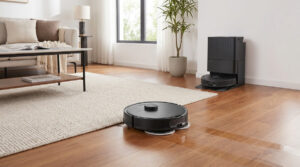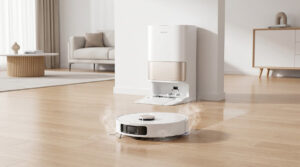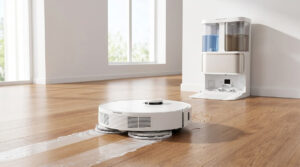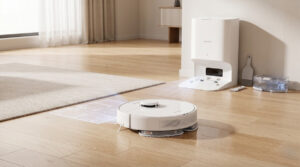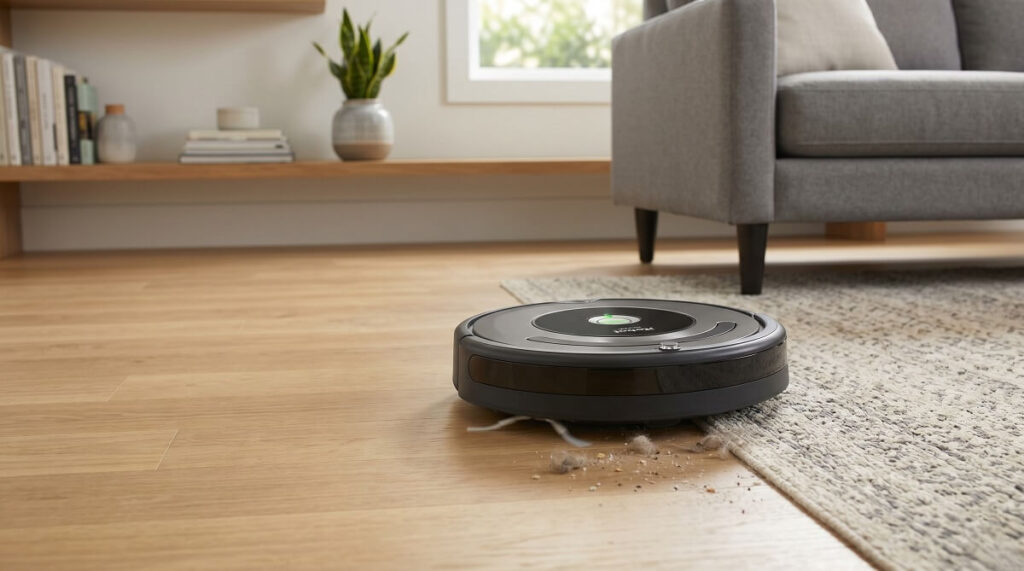
Here’s the deal. After analyzing 15+ verified owner reviews of the iRobot Roomba 105 Vac, this entry-level robot vacuum delivers surprisingly strong performance for its price point. With LiDAR navigation that maps your home in minutes, 7,000Pa suction power, and intelligent row-by-row cleaning patterns, the Roomba 105 Vac proves iRobot can compete in the budget segment without sacrificing core functionality. At around $299 retail (frequently on sale for less), it represents the most affordable way to get LiDAR-equipped Roomba cleaning in your home.
According to iRobot’s official specifications, the Roomba 105 Vac features ClearView LiDAR navigation, a 3-stage cleaning system with 70X more suction than the Roomba 600 series, and intelligent recharge-and-resume functionality. Real owner reviews confirm these features work as advertised, though the app experience draws mixed reactions.
If you’re looking for a vacuum-only robot without mopping features and don’t need a self-emptying dock, this model finally puts advanced navigation technology within budget reach.
What Do Real Owners Say About Roomba 105 Vac Performance?
Owner reviews consistently highlight three standout areas: LiDAR mapping that’s remarkably fast and accurate, strong suction that surprises even experienced Roomba owners, and methodical row-by-row cleaning that covers every inch of floor space. The transition from older bump-and-go Roombas to this LiDAR-equipped model represents a generational leap in cleaning intelligence.
“I’m shocked how good the Roomba navigated the house with very minimal bumping into things during the cleaning process. When it does bump into something, it is a very light bump, but in general you can tell that the sensors and LiDAR do an amazing job of helping the Roomba nearly touch every surface without actually touching, so it cleans around edges of rooms and furniture pretty well.” — Tony, verified owner
“I’ve been using the Roomba 105 for a week now, and I have to say—I thought I was a thorough cleaner, but this vacuum proved me wrong. Every time I empty the dirt chamber, I’m amazed (and a little embarrassed) by how much dust and debris it collects. It’s seriously powerful.” — CCARDEGU, verified owner
- ClearView LiDAR Navigation
- Unlike older camera-based or bump-navigation Roombas, the spinning laser turret creates precise floor maps in just minutes. According to TechRadar, this represents iRobot’s strategic adoption of the navigation technology that made competitors successful—and it shows in user satisfaction.
Suction Power: Impressive for the Price
The 7,000Pa suction represents a significant upgrade from older Roomba models. Multiple owners report being genuinely surprised by how much debris the 105 Vac collects, even after they thought their floors were clean. The vacuum handles the transition between hard floors and carpets automatically, adjusting suction as needed.
“Outstanding suction—it picks up everything from fine dust to pet hair, even after I thought the floors were already clean. Surface detection with auto speed adjustment means it intelligently ramps up or slows down suction depending on whether it’s on carpet or hard flooring.” — CCARDEGU, verified owner
“The bins are huge. Like a third of the entire robot is bin space. You can let it go a couple of days without having to worry about emptying it. Next, these use one brush instead of two, which means less parts to replace…but amazingly, the single brush does a MUCH better job than the old models with two.” — wes_mantooth, verified owner
| Cleaning Feature | Roomba 105 Vac Performance | Owner Verdict |
|---|---|---|
| Hard Floor Cleaning | Excellent – thorough coverage | 4.5/5 |
| Low-Pile Carpet | Very Good – handles well | 4/5 |
| Edge Cleaning | Good – edge-sweeping brush effective | 4/5 |
| Pet Hair Pickup | Very Good – single brush design | 4/5 |
| Dust Bin Capacity | Large – days between emptying | 4.5/5 |
How Well Does the Roomba 105 Vac Map Your Home?
The LiDAR mapping earns consistently high praise from owners. Unlike older Roombas that took hours to learn a floor plan through repeated cleaning runs, the 105 Vac creates accurate maps in a single quick pass—often under 30 minutes. The robot then cleans in efficient, methodical rows rather than randomly bouncing around.
“After the initial setup, the mapping process was quick and worked very well. You can then use the app to modify rooms, create ‘no clean zones’, and setup routines. The Roomba starts each room by cleaning the edges before cleaning in a back-and-forth grid pattern so that it really gets every square inch of the room.” — Tony, verified owner
“This Roomba is much better than my previous generation ones I owned. This one maps your house, and can find home base to charge easy, not like the old one, that may make it back if it finds the sensor along its stumbling around the house.” — Karl Z, verified owner
The detailed mapping feature allows you to select specific rooms for cleaning, which owners find especially useful for quick touch-ups or focusing on high-traffic areas. The app displays a visual map showing exactly where the robot has cleaned.
Mapping Tips from Real Owners
- First run: Let the robot complete a full mapping run before your first cleaning session
- Clear obstacles: Remove floor clutter, cords, and lightweight rugs for the best initial map
- Door position: Open all doors to rooms you want included in the map
- Room splitting: Use the app to divide large open spaces into logical cleaning zones
- No-go zones: Set virtual boundaries around pet bowls, fragile items, or cord-heavy areas
Is the Roomba 105 Vac Easy to Set Up and Use?
Setup earns mixed reviews—the hardware setup is straightforward, but the app experience requires patience. Most owners successfully connect and map their homes within an hour, though the app’s interface draws criticism for being less intuitive than competitors.
“I purchased the Roomba 105 on a recent sale for ~$200 and have never owned a robo vacuum before. My first impression of the app is a very bad one. Setting up and connecting the Roomba was very difficult due to the app not detecting the Roomba or failing half-way through the connection process. It took me the better part of an hour to get it all setup.” — Tony, verified owner
“Mostly love it. The software does have its glitches. I was able to contact Roomba’s customer service and he helped me so much. Something about hold the on button for count of 3 then release and hold again for count of 10. It seemed to reset it and it’s worked ever since.” — piemom92, verified owner
Once past initial setup, daily operation is genuinely hands-off. Schedule cleaning times through the app, and the robot handles the rest—including returning to charge when battery runs low and resuming where it left off.
App Features Owners Actually Use
| Feature | What It Does | Owner Rating |
|---|---|---|
| Room Selection | Clean specific rooms on demand | 4.5/5 |
| Scheduling | Set daily/weekly cleaning times | 4.5/5 |
| Cleaning Modes | Light, Regular, Deep cleaning options | 4/5 |
| Keep Out Zones | Block vacuum from specific areas | 4/5 |
| Smart Mapping | Visual floor plan with room labels | 4/5 |
| Real-Time Tracking | Watch cleaning progress on map | 4/5 |
What Are the Common Complaints About Roomba 105 Vac?
No product is perfect, and the Roomba 105 Vac has documented weaknesses. Here are the most common complaints from verified owners:
1. App Needs Significant Improvement
The most consistent criticism targets the iRobot app. Multiple reviewers describe connection issues, bugs, and an interface that could be more intuitive. Some features that should be simple—like editing room boundaries—prove frustrating.
“However, most of this doesn’t work well as the app errors constantly whenever you try and do most of those modifications. The app is integral to the Roomba usage and I think people’s experience will be heavily dependent on how well the app works in the future.” — Tony, verified owner
“Outstanding hardware, so-so software. You really don’t need the software to run it. It does an absolutely outstanding job of cleaning the carpet in addition to just vacuuming it.” — Kindle Customer, verified owner
2. Battery Life Concerns
Some owners report the battery doesn’t last as long as expected, particularly when cleaning larger spaces or running in higher suction modes. The robot handles this by returning to charge and resuming, but it extends total cleaning time.
“My only issue so far is with the battery. It takes a LONG time to fully charge and sometimes it will go home to recharge in the middle of a job even though it still shows 50% charge in the app. I thought about getting a replacement battery but they are almost impossible to find.” — Bernard C. Pattie, verified owner
“I only have it on 1st floor and 2 rooms for a roughly 48 min vacuum. It needs to recharge 3 times for this routine. It usually does 1 room and says it can’t complete other.” — Kasey, verified owner
3. Getting Stuck Under Furniture
Like most robot vacuums, the 105 Vac can get stuck under low furniture or on lightweight rugs. Owners recommend clearing potential problem areas or setting no-go zones in the app.
“Technology meets home! I can’t say it has been easy. I had to ‘create a map’ 4 times just for it to work. The first time I created one, it worked but did not save. It seems to keep getting stuck under my couch which is annoying.” — Ej, verified owner
“Love this Roomba! It does get stuck quite often on my rug or floor vents, but I love how it gets the cat hair I never knew was all over my house.” — Mollie Lindsay, verified owner
4. No Manual Instruction Book
Several owners express frustration that the Roomba 105 Vac doesn’t include a physical instruction manual—everything is handled through the app. For less tech-savvy users, this creates an unnecessary barrier.
“I hate that it doesn’t have an instruction book! It’s a little noisier than my old Shark but it does the job.” — piemom92, verified owner
“No written directions, download app to phone. I’m not that good with the app, I would rather have written directions. (I’m 71 and old school, lol)” — Elaine Walbeck, verified owner
How Does the Roomba 105 Vac Compare to Older Roombas?
For existing Roomba owners upgrading from older models, the 105 Vac represents a significant leap forward. The LiDAR navigation alone transforms the cleaning experience—no more random bouncing, just methodical, efficient coverage.
“I had a previous generation non mapping E model for our hard floors downstairs and a previous generation I model with the bag dock upstairs. Both were extremely needy robots. The E model got stuck pretty much every other clean. Credit where credit is due, iRobot put a lot of improvements into these new models.” — wes_mantooth, verified owner
“We went from a Wyze vacuum to the Roomba, and love it. It has more suction power than the previous, which we had been very happy with while using. It is smaller than the Wyze but we are very happy with our purchase.” — Joseph Moore, verified owner
| Feature | Roomba 105 Vac | Older E/i Series | Improvement |
|---|---|---|---|
| Navigation | ClearView LiDAR | Bump-and-go or vSLAM | Much faster, more accurate |
| Mapping Time | ~15-30 minutes | Hours to days | Immediate usability |
| Cleaning Pattern | Neat rows | Random | More thorough |
| Brush Design | Single rubber brush | Dual brushes | Less maintenance |
| Bin Size | Larger capacity | Smaller | Fewer empties needed |
| Noise Level | Quieter | Louder | Less disruptive |
Does the Roomba 105 Vac Work Well on Different Floor Types?
The Roomba 105 Vac handles mixed flooring well, automatically adjusting between hard floors and carpets. Owners with tile, hardwood, laminate, and low-pile carpets report good results across surfaces.
“Works well on hardwood and tile floors. Has a little trouble with throw rugs, can get stuck. Also, if you run it at night—note: not compatible with indoor cameras with infrared night vision. Causes the Roomba to ‘get lost’ and be unable to complete its routine.” — Dave G, verified owner
“One surprise was the battery life—it couldn’t vacuum my entire house on a single charge, while my Q5 seems to last twice as long. I also noticed it climbs over floor transition strips better than my previous vacuums. However, it doesn’t perform as well on carpet, so there’s a bit of a trade-off.” — JT, verified owner
High-pile carpets and rugs with fringe remain challenging for the 105 Vac, as they do for most robot vacuums. Lightweight bathroom mats may get pushed around rather than cleaned properly.
Is the Roomba 105 Vac Worth the Price?
At around $299 retail (often less on sale), the Roomba 105 Vac offers excellent value for buyers who want LiDAR navigation without premium pricing. It’s the most affordable way to get intelligent mapping and row-by-row cleaning from iRobot.
“I took a chance on this base model because it was relatively inexpensive. It worked so well on our hard floors downstairs, I bought a second one for the carpeted upstairs and it works just as well. Really surprised and happy with all the meaningful improvements made.” — wes_mantooth, verified owner
“I love this thing, I’ve been monitoring the price point for the last 20 years or so, and it always seemed to be around $450, I got a great deal and couldn’t be happier.” — Red, verified owner
The lack of a self-emptying dock means you’ll need to manually empty the dustbin every few cleaning cycles, but the larger bin capacity makes this less frequent than older models. For buyers who don’t mind this trade-off, the savings are significant.
Roomba 105 Vac: The Final Verdict from 15+ Owners
Based on comprehensive review analysis, here’s what real owner data tells us:
| Category | Owner Consensus | Rating |
|---|---|---|
| Vacuum Performance | Strong suction, thorough coverage | 4.5/5 |
| LiDAR Navigation | Fast, accurate, game-changing | 4.5/5 |
| App & Software | Functional but needs improvement | 3.5/5 |
| Setup Experience | Hardware easy, app challenging | 3.5/5 |
| Battery Life | Adequate for most homes | 4/5 |
| Value for Price | Excellent at sale prices | 4.5/5 |
Who Should Buy the Roomba 105 Vac?
- Budget-conscious buyers who want LiDAR navigation without premium pricing
- Vacuum-only seekers who don’t need mopping functionality
- Roomba upgraders moving from older bump-navigation models
- Hard floor homes with tile, hardwood, laminate, or low-pile carpet
- Tech-comfortable users willing to work through app quirks
- Manual emptying accepters who don’t need a self-emptying dock
Who Should Look Elsewhere?
- Users wanting hands-off operation with auto-emptying dock
- Homes with lots of high-pile carpet or rugs with fringe
- Very large homes (2500+ sq ft) needing extended battery life
- Users expecting a polished, bug-free app experience
- Those who prefer detailed paper instruction manuals
- Buyers wanting vacuum and mop combo functionality
Bottom line: The iRobot Roomba 105 Vac delivers on its core promise—intelligent, LiDAR-guided cleaning at a budget-friendly price. The navigation represents a massive upgrade over older Roombas, the suction handles everyday messes effectively, and the larger dustbin reduces maintenance frequency. Yes, the app needs work and some owners report battery limitations, but for the price, the 105 Vac offers genuinely impressive value. If you’ve been waiting for an affordable Roomba with modern navigation, this is it.