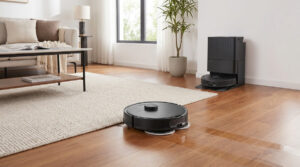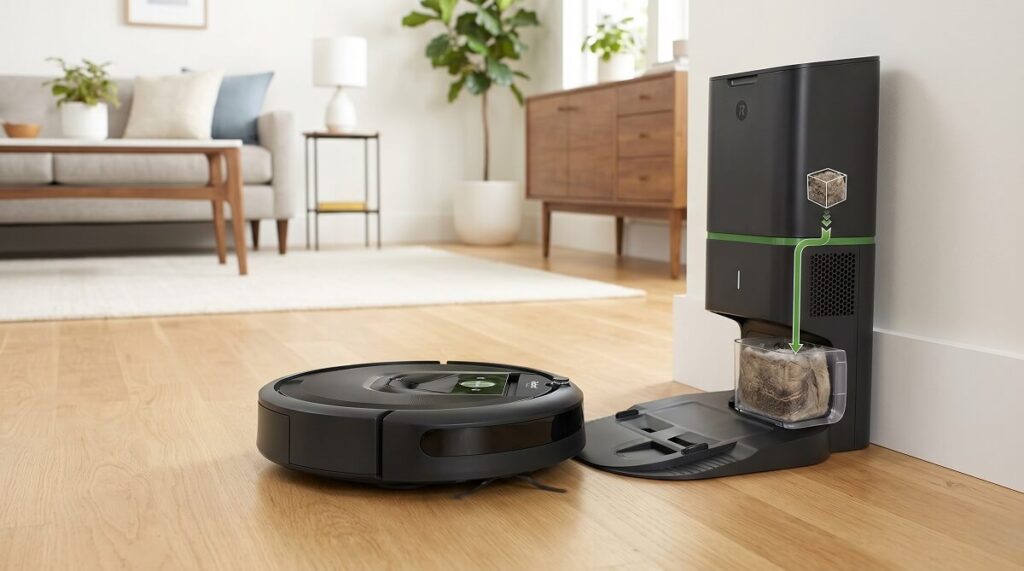
Robot vacuums have evolved significantly over the years, but one persistent annoyance has remained: the bulky self-emptying dock. iRobot’s Roomba 205 DustCompactor Vac attempts to solve this with an innovative twist—compacting debris inside the robot itself, eliminating the need for a massive base station. After analyzing over 30 verified owner reviews, the verdict is clear: this vacuum excels at pet hair removal and offers genuine convenience, but software bugs and navigation quirks prevent it from being a slam-dunk recommendation. Most owners rate it between 4 and 5 stars, praising the dust compactor technology and strong suction, while a vocal minority report frustrating app issues and charging dock problems.
Who Should Buy the Roomba 205 DustCompactor?
The Roomba 205 DustCompactor is ideal for pet owners who need daily maintenance cleaning without constant dustbin emptying. According to iRobot’s official specifications, the dust compactor technology allows up to 60 days between emptying—a claim that multiple owners have validated in real-world use.
One verified purchaser with two German Shepherds reported: “The dust compactor feature is a nice upgrade—it holds more debris, so I don’t have to empty it as often. Best of all, it actually keeps up with the amount of hair my dogs shed daily.” Another owner noted they ran the vacuum “3-4 times a week for 2 weeks before looking to empty it” and found debris was compacted enough to continue even longer.
This vacuum is best suited for:
- Pet owners with heavy shedders who need daily vacuuming without daily maintenance
- Small to medium homes where a compact charging dock is preferred over bulky self-emptying stations
- Multi-surface households with combinations of hardwood, tile, and low-pile carpet
- Tech-comfortable users who can troubleshoot occasional app and connectivity issues
Skip this model if you have thick high-pile rugs, lots of floor-level obstacles, or zero tolerance for app bugs. Several reviewers noted the vacuum “gets stuck far too easily” under low-clearance furniture.
Cleaning Performance: What Owners Actually Experience
The Roomba 205’s cleaning performance receives consistent praise across verified reviews, with most owners impressed by its suction power on both hard floors and carpets. According to TechRadar’s testing, the 205 delivers “70X more intense suction compared to Roomba 600 series.”
One owner conducted their own effectiveness test: “I found myself occasionally vacuuming after it and the manual dust bin in my hand vacuum would definitely barely pick up anything after this unit ran.” Another reported the vacuum handled “dog hair, dust, and crumbs across hardwood and area rugs without issues.”
Three Cleaning Modes
The Roomba 205 offers three distinct cleaning intensities:
- Light Clean
- Runs quietly and conserves battery; suitable for daily maintenance on hard floors with minimal debris.
- Normal Clean
- Balanced suction and noise levels; recommended for regular cleaning sessions across multiple surface types.
- Deep Clean
- Maximum suction power for pet hair and embedded dirt; significantly louder but more thorough on carpets.
One experienced reviewer noted: “Light clean might work for someone but I need at least normal clean and if there’s any dog hair shedding going on—only the deep clean gets the hair up. Deeper cleaning equals noisier and more battery use.”
Multi-Surface Performance
Owners consistently report strong performance across different flooring types. The vacuum automatically adjusts suction when transitioning between surfaces. As one reviewer explained: “When it senses the rugs, its suction power immediately increases for better cleaning on different surfaces.”
However, some owners note occasional issues at floor transitions. One reviewer mentioned the vacuum “has a little bit of trouble staying in the kitchen while it’s cleaning” at a 1-inch height difference between rooms, requiring a makeshift ramp solution.
Setup Experience and WiFi Requirements
Initial setup receives mixed feedback, with most owners completing it within 15-20 minutes but encountering specific WiFi-related hurdles. The most critical setup requirement that trips up buyers: the Roomba 205 only supports 2.4GHz WiFi networks, not 5GHz.
One owner shared their experience: “Be aware that it does not support 5.8GHz WiFi. I accidentally tried to connect to that and had to restart the process to use my 2.4GHz network. After that, everything worked smoothly.”
Mapping Process
The LiDAR-based mapping system generally impresses owners with its speed and accuracy. According to Tech Advisor’s review, mapping took approximately 10 minutes for a typical home layout.
One owner described their experience: “Mapping was quiet, easy, quick and effective. I just wish iRobot had the option to delete a room or area rather than only no-go zones.” Another noted the robot “does a great, fast job mapping cluttered rooms” and appreciated the ability to use “multiple floor maps” for different levels of the home.
However, some owners experienced mapping loops during initial setup. One frustrated reviewer reported: “Gets to mapping and does my large space pretty quickly. So let’s do cleaning now—nope. Wants to map again. Stuck in a loop of making a map. Never cleaned a dang thing.” This appears to be a software issue that may resolve with patience or factory reset.
App Experience and Software Issues
The iRobot Home app receives the most polarized feedback of any feature. While many owners find it “clean and easy to use” for scheduling and monitoring, others report persistent bugs and connectivity problems.
What Works Well
Satisfied users praise specific app features:
- Room selection and scheduling: “I can schedule it daily and pick what rooms to do”
- Live tracking: “The app is really cool showing a map of your house through the eyes of the robot”
- Component health monitoring: “The app tells you when it needs emptied and how much life is left on certain parts”
- Remote start capability: “I can start it remotely and track its progress”
Common App Problems
A significant minority report frustrating software issues:
- Update loops: “My robot has been stuck in update mode which means it won’t vacuum. I’ve rebooted from the app and from the bot several times.”
- Connection drops: “The app will occasionally stop showing live views of the cleaning on the app and saving the new runs to the cleaning history”
- Settings not saving: “App settings sometimes don’t persist between sessions”
- Slow communication: “The app can be slow to start up and often slow to communicate what the robot is doing”
One long-term owner’s experience evolved over time: “In the two months I’ve had this, it’s needed software updates twice and both times were not smooth. I had to hit the on/off button, hit the home button, unplug the device and replug it in—essentially anything to attempt to get it out of being stuck in update mode for days at a time.”
Navigation and Obstacle Handling
The Roomba 205’s LiDAR navigation system earns praise for efficient room coverage and gentle furniture interaction. Unlike bump-and-go models, this vacuum uses laser mapping to navigate without constantly colliding with walls and furniture.
One owner noted: “I don’t hear it slamming into furniture like its predecessor, it navigates very respectfully.” Another appreciated that “it finds its way back to the dock without getting stuck.”
Where It Struggles
Despite improved navigation, several owners report the vacuum getting stuck on specific obstacles:
- Low-clearance furniture: “It occasionally gets wedged under low-clearance furniture, which interrupts cleaning and requires manual rescue”
- Cords and cables: “It can have some challenges with stray cords”
- Rug corners and edges: “Corners and edges of rugs can trip it up—it may hesitate or skip parts of the rug altogether”
- Thin furniture legs: “Gets stuck on low obstacles like thin furniture legs and piano feet”
The consensus recommendation from owners: pick up floor items before running and use the app’s no-go zones for problem areas. As one reviewer advised: “You do need to prep by picking up small items, picking up loose cords, and maybe blocking off outlets with a bunch of cords on the ground.”
Charging Dock and Battery Life
The compact charging dock is a significant selling point, but it comes with trade-offs that owners should understand before purchasing.
Compact Dock Benefits
Without a self-emptying base station, the Roomba 205’s dock takes up minimal floor space. One owner called this “a huge plus” for their setup, while another specifically chose this model because “I have limited space to put a dock.”
Charging Alignment Issues
Multiple reviewers report frustration with getting the vacuum properly seated on the charging dock:
“The charging port is really terrible. When I place it on the charge manually, it’s very difficult to properly get it to connect to the charger and charge. It also very easily comes off and does not charge.” Another owner echoed this: “If you or anyone accidentally bumps into it and it comes off the charge, it’ll sit there and die.”
Battery Performance
Runtime varies based on cleaning mode and floor type. Owners report:
- Hard floors, normal mode: “Over 75 minutes before needing to recharge”
- Carpet, normal mode: “Over 50 minutes before needing to recharge”
- Mixed surfaces: “About 40-50 minutes” for whole-house cleaning
One owner noted their battery improved after initial use: “The run-time seemed a bit short for another day or two but now it can run over 75 minutes on hard floors.” Initial battery calibration issues may resolve with the “unplugging and re-plugging the battery” fix mentioned by another reviewer.
Noise Levels
Noise perception varies significantly based on cleaning mode selection. The Roomba 205 can run whisper-quiet or sound like a full-size vacuum depending on settings.
Owners report the vacuum is “very quiet” on light cleaning mode—one noted “the A/C is louder than it is” and runs it at 6 AM without disturbance. However, deep cleaning mode is “significantly louder but more thorough on carpets.”
For comparison, Tech Advisor noted the 205 is “a much noisier machine than many other robot vacuum cleaners” when running at full power. If noise sensitivity is a concern, schedule deep cleans when you’re away from home.
Long-Term Reliability Concerns
While most reviews are positive, several owners report concerning reliability issues after extended use. These experiences are worth considering before purchase.
One owner documented their declining experience: “After about 30 days, I hate it. It has charging issues, the charging point is so sensitive it easily comes off. It somehow lost its ability to navigate away from edges, like the edge of a step, and it keeps getting stuck. Also the bottom rolling thing seems to have come loose and you just hear it smacking the floor as it goes.”
Another described a worst-case scenario: “Seems to be a brick. Now it should be zero stars. Cajoling it to work for nearly 3 months and now totally dead. Total waste of $270.”
However, these negative experiences represent a minority. Most long-term owners report continued satisfaction, with one noting after several months: “The compactor inside really is a nice addition—I let it vacuum 3x per week for 2 weeks before I looked to empty it and things were compacted inside where I could’ve probably let it go for 2 months.”
Price and Value Assessment
According to Amazon’s current listing, the Roomba 205 DustCompactor retails around $269-299, though prices fluctuate. This positions it in the mid-range robot vacuum category.
Owners generally consider this fair value for the dust compactor innovation. One reviewer calculated: “I guess for around $200, at least I’m not doing the vacuuming myself.” Another noted disappointment when “the price dropped after I purchased it”—suggesting watching for sales is worthwhile.
For context, comparable robot vacuums with self-emptying bases typically cost $400-600+, making the 205’s bagless compacting approach an attractive budget alternative for those willing to manually empty the bin every 60 days.
Final Verdict: Should You Buy the Roomba 205 DustCompactor?
The iRobot Roomba 205 DustCompactor delivers on its core promise: strong suction, excellent pet hair pickup, and genuinely extended time between emptying thanks to the innovative compacting system. Most verified owners rate it 4-5 stars and would recommend it, particularly for pet households.
However, this isn’t a “set it and forget it” appliance for everyone. Software bugs, WiFi limitations, and occasional navigation issues require patience and willingness to troubleshoot. The charging dock alignment problem frustrates multiple owners.
Buy the Roomba 205 if:
- You have pets that shed and need daily vacuuming help
- You want a compact dock rather than a bulky self-emptying station
- You’re comfortable with 2.4GHz WiFi requirements
- You can tolerate occasional app bugs and software updates
Consider alternatives if:
- You need mopping capability (this vacuum-only model doesn’t mop)
- You have lots of low furniture or floor-level obstacles
- You want completely hands-off operation with zero troubleshooting
- You need a self-emptying dock for true months-long autonomy
As one satisfied owner summarized: “It’s not a full replacement for deep cleaning, but it definitely cuts down on how often I need to use my main vacuum. If you have pets, especially heavy shedders, this Roomba is worth it.”